Go to Profile
Open the BoRewards app and navigate to the Profile tab on the navigation drawer or bottom bar.
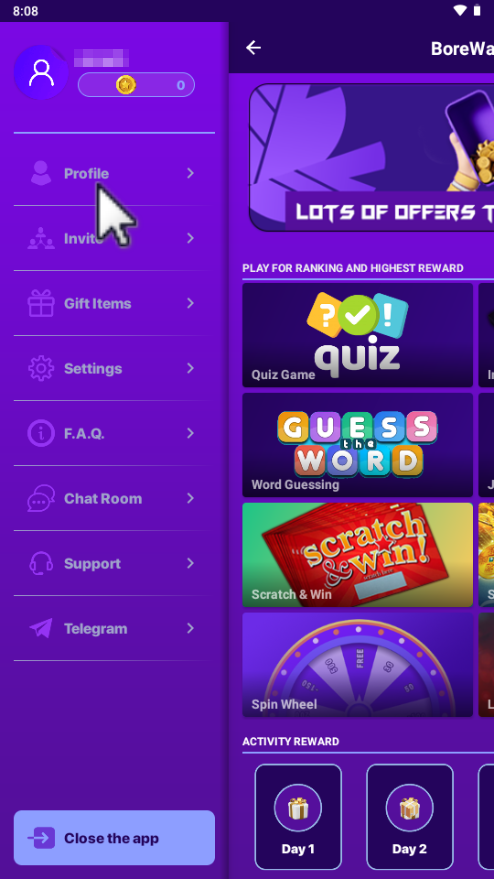
We respect your privacy. You can permanently delete your BoRewards account and erase all associated personal data either inside the app or using our web request form below.
Open the BoRewards app and navigate to the Profile tab on the navigation drawer or bottom bar.
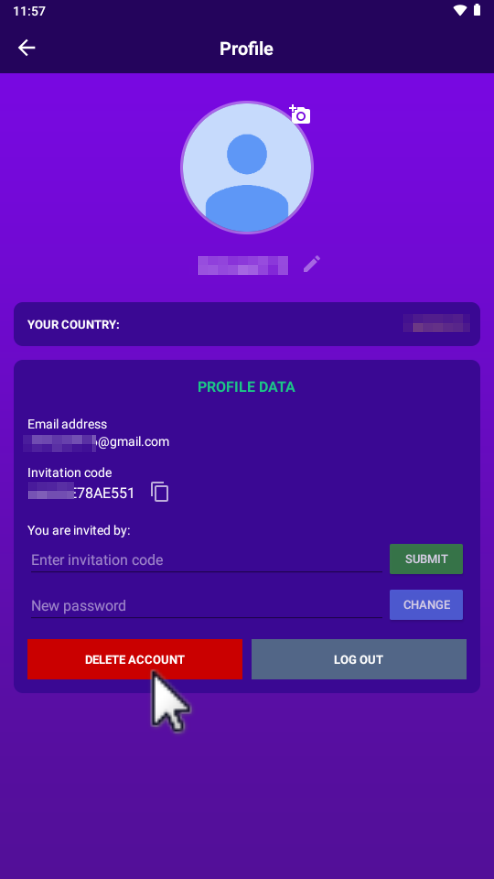
Scroll down to the bottom of the profile settings and click the red Delete Account option.
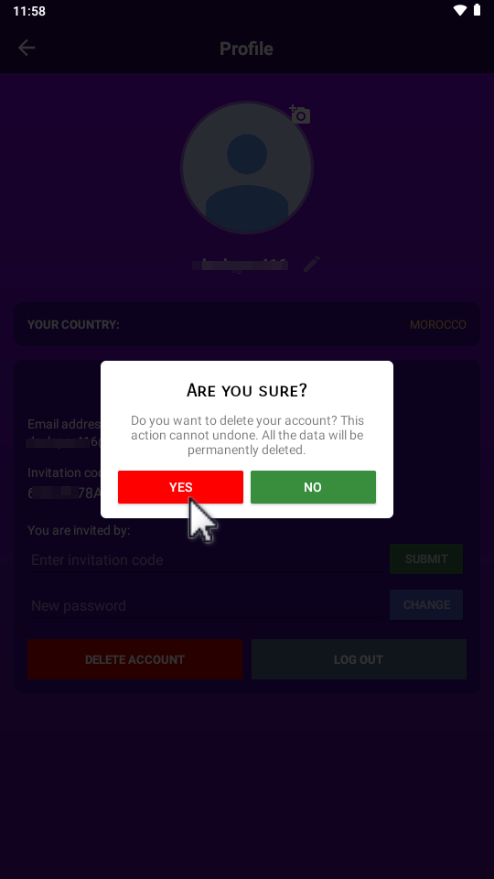
A confirmation modal will appear. Read the warning carefully and tap Yes to confirm permanently.
If you no longer have access to the app, submit your account email below. Our privacy team will process your deletion request within 24–48 hours.
| Data Type | Action Taken | Purge Period |
|---|---|---|
| Profile & Google Authentication | Permanently Deleted | Immediate (0-24 Hours) |
| Coin Balance & Reward Points | Permanently Forfeited | Immediate |
| Offerwall & Task History | Anonymized & Cleared | Within 30 Days |
| Financial Payout Logs | Archived for Anti-Fraud | Purged per Legal Mandates |